captains-deck.com~/guides/shortcutsG.01.C · 4 min read↑ updated 2026-07-02--:--:--
BeginnerG.01.C4 min read
Eight keys, ninety percent.
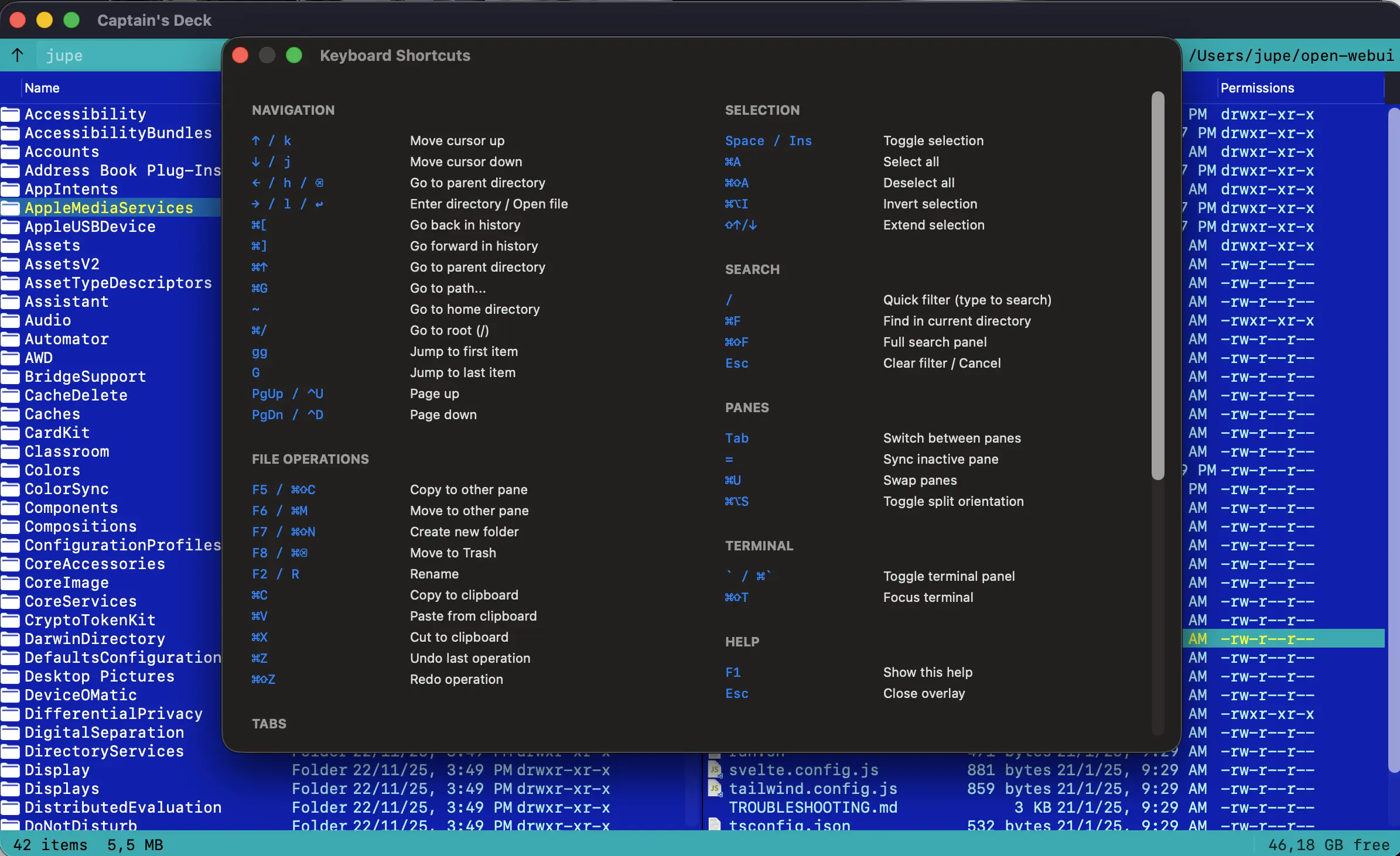
Captain’s Deck is keyboard-first. Memorise this page and you’ll move at the speed of thought.
Every key below is just a default. Head to Settings → Keyboard Shortcuts to remap anything — Record a new key, Add a second one for the same action, or Remove… one you don’t want. A shortcut can even be a multi-key chord like gg. You can also switch the whole app between the Orthodox, macOS, and Vim layout presets. The complete reference lists every binding.
Tab between panes; F-keys for the heavy lifting.
Navigation
Action
Vim
Standard
Move down
j
↓
Move up
k
↑
Enter / open
l
→ / Enter
Parent directory
h
← / Backspace
Top of list
gg
Cmd+↑
Bottom
G
Cmd+↓
Page up / down
Ctrl+U / D
Page Up / Page Down
Switch panes
Tab
Selection
Toggle selection
Space
Select all
Cmd+A
Invert selection
Cmd+Option+I
Extend selection
Shift+↑ / Shift+↓
File operations
Copy to other pane
F5
Move to other pane
F6
New directory
F7
Delete (Trash)
F8
Rename
F2 / R
View file
F3
Edit file
F4
Compare Files…
F9
Git Panel
Cmd+Shift+G
Quick Look
Cmd+Y
Get info
Cmd+I
Batch rename
Cmd+Shift+R
Clipboard
Copy files
Cmd+C
Cut files
Cmd+X
Paste files
Cmd+V
Tabs
New tab
Cmd+T
Close tab (or open dialog / panel)
Cmd+W
Next / previous
Shift+Cmd+] / Shift+Cmd+[
Search & filter
Quick filter view
/
Search files
Cmd+F
Go to path
Cmd+G
View options
Toggle hidden files
Cmd+.
Toggle terminal
` (backtick)
Refresh
Cmd+R
Preferences
Cmd+,
Quit
Cmd+Q / F10
Using F-keys without Fn
By default macOS uses F1–F12 for system functions. To use them directly in Captain’s Deck:
Open System Settings
Go to Keyboard
Click Keyboard Shortcuts…
Select Function Keys in the sidebar
Enable “Use F1, F2, etc. keys as standard function keys”